Prof Michael Fullan - Keynote Speaker
New Pedagogies for Deep Learning
System transformation
They build knowledge and practices that foster deep learning and whole system change
Humans are innately wired to connect, create and help humanity
Children are highly creative, but school cuts some of this creativity.
Millennials tend to gravitate towards organisations who do good things
New learning partnership between students, teachers and parents
6Cs - creativity, critical thinking, communication, collaborating, character, citizenship
Deep learning and equity - students that were underserved benefitted the most
Whole system change strategies:
Accountability
Standards
System culture
Breakthrough leadership:
The 7th sense
Social media is ubiquitous
Weakens hierarchies
Distribution and concentrated connection is the new power
The young are the most connected and the least committed to the status quo
Humans, especially the young, find ‘helping humanity’ to be an extrinsic value
The job of education is to produce better citizens for tomorrow, today
Pedagogy is the driver, technology is the accelerator
Big Idea:
Students as change agents
Professional capital of teachers
Coherence
Deep learning unleashes bottom up learning
Hon Hekia Parata
Minister of Education
It can only be the profession that leads the profession. Not interested in targets and asserts that she is interested in kids learning and having choices for the future. Wants every child to get the best education possible. How will funding closely align with what the size of the educational challenge is? Strong sense of urgency that our students are successful, confident, connected global citizens.
NZ has an amazing educational system but we don't make use of full functionality that it provides. PLD - a lot of money has been spent, but not enough evidence of success. What are professionals (teachers etc) in our community of learning going to do? Building better learning environments? Build better pathways for students?
Learning how to Code - Apple workshop
Everyone should have the opportunity to create something that can change the world.
Swift Icon. My Playground - Learn to Code 1. We had the opportunity to play with this simple coding programme.
Video showing ordinary people solving real problems with code. Understanding coding concepts is a new literacy. Creativity is important and code allows development of this as well as skills like problem solving, critical thinking, collaboration.
Swift enables the ability for people to practice code. Developed by Apple and the community. It's easy to use, interactive, powerful, and open - source. Playgrounds allow code to be written and tested as its being written.
Swift Playgrounds and App Development with Swift. It introduces young learners to coding principles. Used on ipads, coding lessons built in, real coding in Swift, built for touch. Glossary of terms available. Ability to take photo/recording of code to record/capture evidence of learning. Special keyboard feature available to use.
Branch Out lesson - for loop in coding (In computer science a for-loop (or simply for loop) is a control flow statement for specifying iteration, which allows code to be executed repeatedly.) Can zoom in and out of worlds. A skill is to be able to write code effectively that can be used over and over again.
ibook app - resources can be downloaded - content for teachers, how to teach coding.
Learning to Code 1 & 2 - suitable for ages 10 -15
App Development for Swift - suitable for secondary students
OMGTech! Rangers Workshop — an introduction to robotics, coding, and 3D printing
3 different areas in the room were organised to cater for hands on practice on robotics, coding and 3D printing. Really cool! We were able to rotate around 4 different stations for 20mins each.
Robotics: We had to create code which would direct a small robotic car/tank? to navigate its way around a track on the floor.
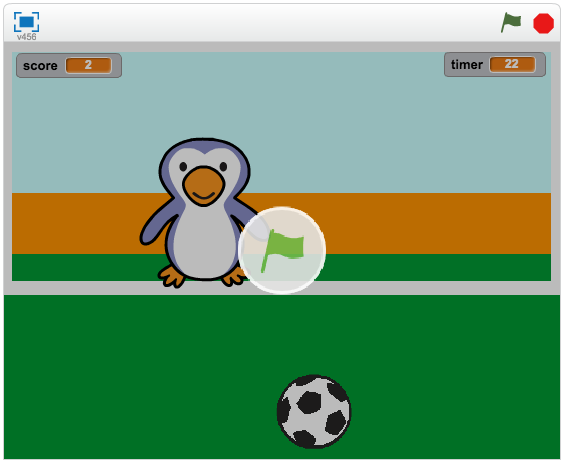
Coding: We had the chance to create a very simple game using a programme called Scratch.
3D Printing: Basically we were given a presentation about 3D printing and how the design process was more important at this stage then using the actual 3D printer as its time consuming to print and printers tend to have technical issues.
There was also another activity set up where we could take apart an old CD player to look at all the different parts inside it. Interesting to find out that the physical structure of modern hard drives are similar to old record players e.g. disc with something that is able to read the information off the disc. Difference is that modern discs hold much more info.