Today we had an electronic and Makey Makey workshop with Kawana from OMGTech. He came with a group of 4 volunteer workers from Microsoft. They were here to run three one hour workshops with our Extension students.
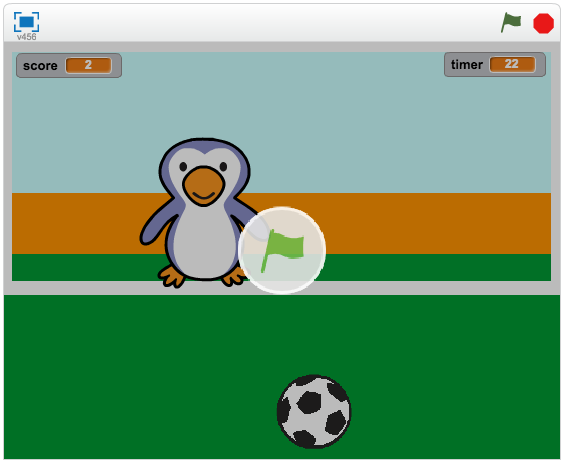
First Session: Year 7 & 8 Extension group. The first lesson was a quick lesson about electricity, circuits and how they work. Kawana used the example of minions and how they eat bananas to get energy as a way of describing how a circuit works. I think this was a great way to explain something in a way that our students would understand. The students got to create their own mini torch using cardboard, and LED light, electrical tape and tape. This was a neat way to put the concept of a circuit into practice. As our extension group have been using the Scratch programme throughout the year they were very familiar with using Scratch to code. They were only introduced to Makey Makey kits last term, but quickly worked together to create buttons using the kits and playdough to create sounds.
Second Session: Year 5 & 6 Extn group. This was a bright bunch of students. A few had quite a good understanding of how circuits work and what makes good conductors and insulators of electricity. The enjoyed the mini torch making task. Most students had used Scratch before to code, but did not have any experience with the Makey Makeys.
Third Session: Year 3 & 4 Extn group. This group needs more experience with using Scratch and Makey Makey to get the most out of the workshop. They loved making the mini torches though. At the end of each session, the students were asked to complete a survey about the workshop. Most students agreed that the workshops were a lot of fun and that they learnt something new. This was a great experience for our students. Kawana is a great teacher and his delivery of the lessons were easy to understand, fun and interesting. I would definitely like to run workshops again like this for our students.
OMGTech workshops mini LED and Makey Makey from SchoolTV on Vimeo.
First Session: Year 7 & 8 Extension group. The first lesson was a quick lesson about electricity, circuits and how they work. Kawana used the example of minions and how they eat bananas to get energy as a way of describing how a circuit works. I think this was a great way to explain something in a way that our students would understand. The students got to create their own mini torch using cardboard, and LED light, electrical tape and tape. This was a neat way to put the concept of a circuit into practice. As our extension group have been using the Scratch programme throughout the year they were very familiar with using Scratch to code. They were only introduced to Makey Makey kits last term, but quickly worked together to create buttons using the kits and playdough to create sounds.
Second Session: Year 5 & 6 Extn group. This was a bright bunch of students. A few had quite a good understanding of how circuits work and what makes good conductors and insulators of electricity. The enjoyed the mini torch making task. Most students had used Scratch before to code, but did not have any experience with the Makey Makeys.
Third Session: Year 3 & 4 Extn group. This group needs more experience with using Scratch and Makey Makey to get the most out of the workshop. They loved making the mini torches though. At the end of each session, the students were asked to complete a survey about the workshop. Most students agreed that the workshops were a lot of fun and that they learnt something new. This was a great experience for our students. Kawana is a great teacher and his delivery of the lessons were easy to understand, fun and interesting. I would definitely like to run workshops again like this for our students.
OMGTech workshops mini LED and Makey Makey from SchoolTV on Vimeo.