During the first week of the school holidays, I had the privilege of attending the NZEI Pasifika Teachers Fono. It was held over two days at Waipuna Conference Centre in Mt Wellington. This is a slideshow sharing some of my highlights during the first day. I attended with Ms Va'afusuaga, Mrs Ilaoa, Ms Teleso, and Mrs Sio. Mrs Tele'a also attended. I am very grateful to our school and Board of Trustees for helping to subsidise the cost of the conference.
Showing posts with label Sandy Lagitupu. Show all posts
Showing posts with label Sandy Lagitupu. Show all posts
Sunday, 28 April 2024

Sunday, 2 April 2023
Manaiakalani Reading Practice Intensive (RPI) Day 3
Today’s focus in RPI for Day 3 was based on Text Selection.
What did I learn that increased my understanding of the kaupapa and pedagogy of the Manaiakalani Reading Programme ?
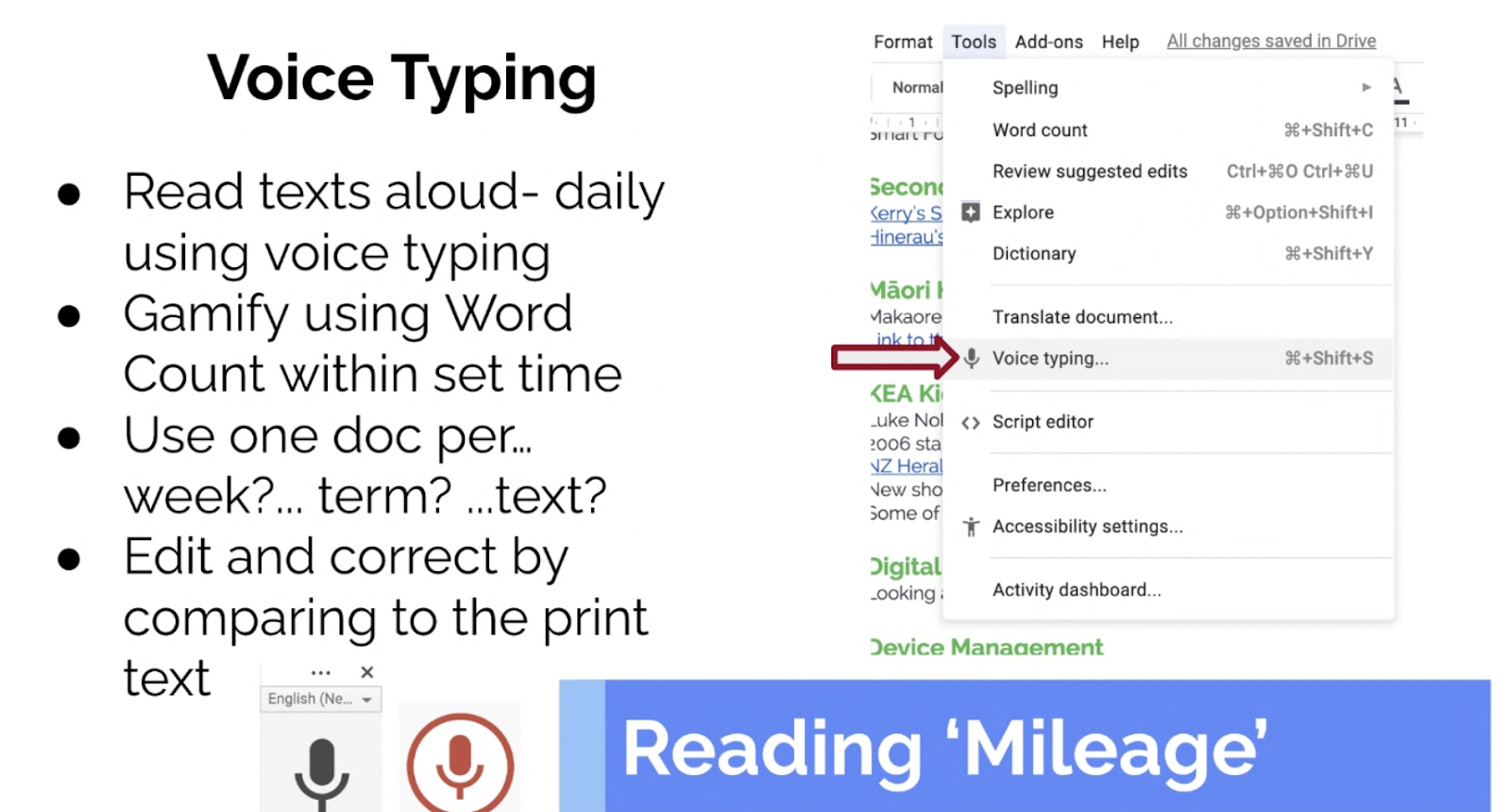
First we heard from Dorothy Burt who talked about the Manaiakalani Kaupapa and Pedagogy. She explained the importance of selecting from a wide range of both print text and digital text. Integrating the use of digital apps opens a world of learning opportunities to improve literacy skills for students. For example, using the voice typing app is a good way for readers to hear themselves talk and read aloud everyday. They can practice reading aloud to improve their enunciation of words and their oral fluency.
What did I learn that could improve my capability and confidence in teaching reading?
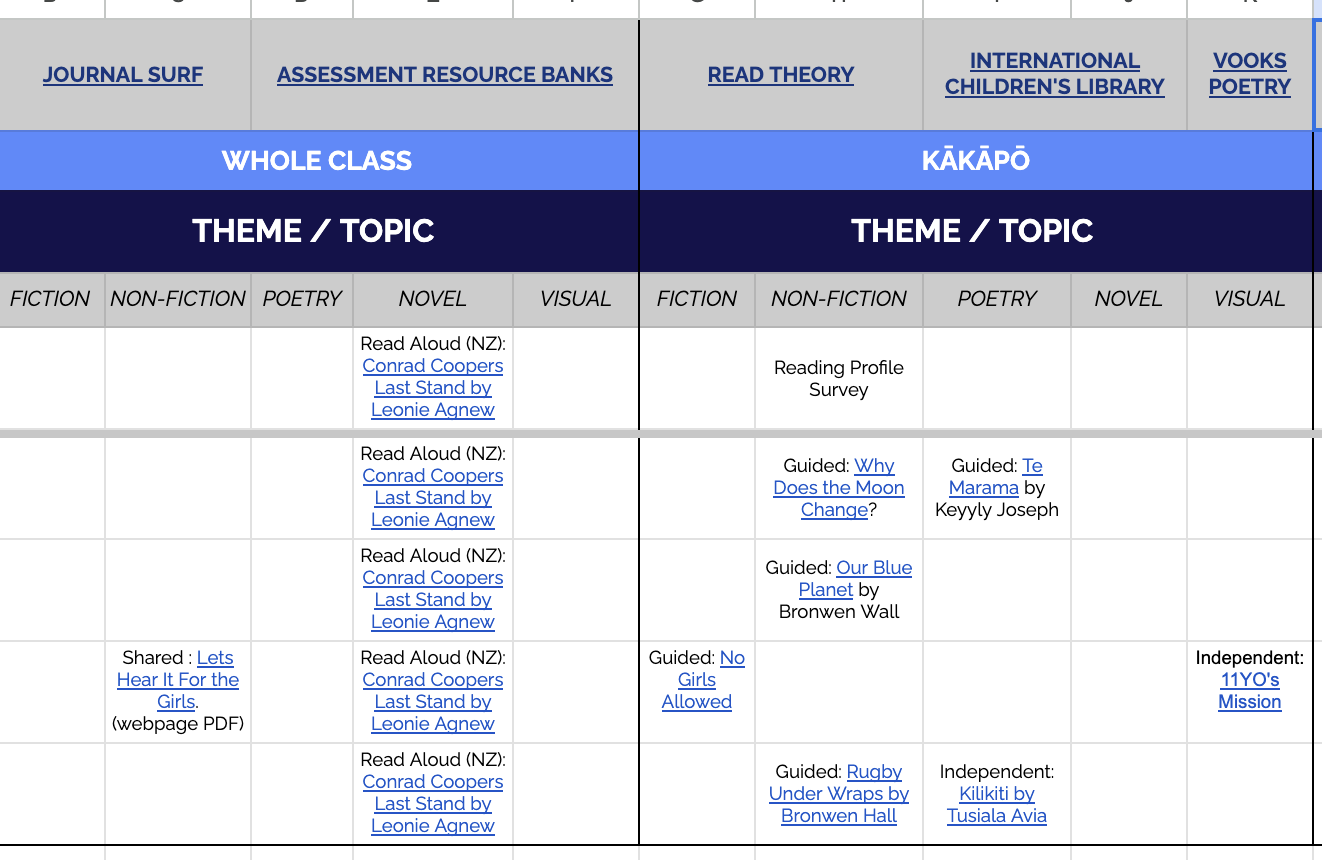
We looked a little closer at the RPI workbook to plan ahead for one of our literacy groups. The focus on ‘coverage’ of multimodal text types, differentiated reading e.g. independent, paired and shared reading etc, as well as a focus on T-shaped literacy and text sets for groups was helpful. The RPI workbook provided one example of how to plan across a term to ensure that enough coverage of different text types was happening.
What did I learn that could be used with my learners?
I thought that the RPI workbook was useful for planning for a rich learning programme in literacy. In a busy term, the detailed planning overview with links to resources will help when thinking about planning to meet student learning needs and ensuring that there is coverage from a wide range of different texts and text types.
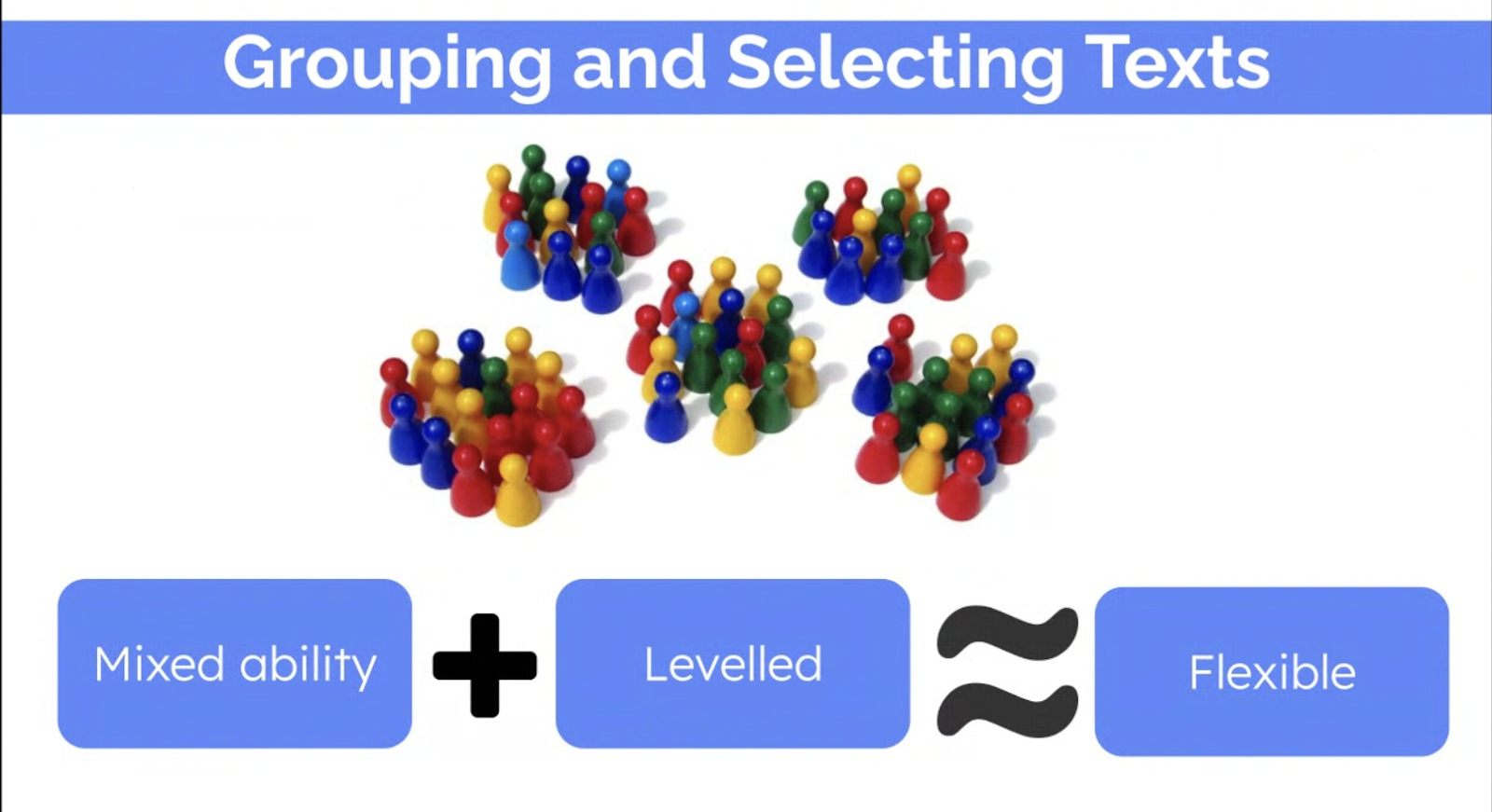
I also learnt that we need to avoid limiting our learners and allow them to extend themselves where possible. It makes sense that students should learn how to read within the zone of proximal development i.e. read texts that are not too difficult or too easy, but it also makes sense that students need to be challenged by reading more difficult texts and work with others who share the same interests.
What did I learn that could be shared within my wider community, with either colleagues, or whānau/aiga?
I think that the emphasis on multiple opportunities to read and the digital resources available to suit all learners was fantastic. Children’s interests need to be taken into account and cannot always be teacher directed which happens more than it should. The digital resources need to be shared with whānau/aiga. I think that some of the tips from the workshop should be simplified (summarised) and shared with parents on our class site.
Friday, 11 May 2018
DFI Workshop 7 - Managing Workflow

During our Deep Dive section we looked at a Google extension called: OneTab. It collects all open tabs and puts them into a list with a timestamp. Useful for when you have too many tabs open.

We also looked at managing our Email workflow.
If you go into your settings then you can click on the tabs to see where you can make changes to improve your workflow.

In Calendar we looked at how we could use shortcut keys to access the different views (e.g. week or month) quicker. We also used Calendar to create events as reminders to ourselves or as invitations to events with others e.g. meetings. There were lots of useful tips and tricks that will help me manage my workflow.

DFI Workshop 7 - Being Connected
Today's main focus was about improving and managing our workflow. We also looked closely at one our Manaiakalani kaupapa/sayings which is about being 'connected'.

Harnessing the power of the internet to make us more connected is powerful, but face to face contact is also important so that the digital connection is powerful.
Our Manaiakalani cluster of schools is well connected, but now that there are outreach clusters, the learn, create, share pedagogy has spread out even further across the country.
Having a shared language is important. Our Manaiakalani pedagogy is learn, create, share. Our kaupapa is the four elements: connected, ubiquitous, empowered, and visible. Each one of these elements cannot work well without the other.


Harnessing the power of the internet to make us more connected is powerful, but face to face contact is also important so that the digital connection is powerful.
Our Manaiakalani cluster of schools is well connected, but now that there are outreach clusters, the learn, create, share pedagogy has spread out even further across the country.
Having a shared language is important. Our Manaiakalani pedagogy is learn, create, share. Our kaupapa is the four elements: connected, ubiquitous, empowered, and visible. Each one of these elements cannot work well without the other.

Friday, 2 March 2018
DFI - Digital Fluency Intensive - Day 1
Today was the first day of a nine week digital fluency intensive. It is held on Fridays during the term. There are about 15 teachers from across the Manaiakalani Community of Learning and outreach schools. The purpose is to improve and develop our skills to help our learners. It has been an amazing day of learning with Dorothy and Gerhard.
What did I learn that increased my understanding of Manaiakalani kaupapa and pedagogy?
Today was a good reminder of what Manaiakalani is all about. The Learn, Create, Share pedagogy works for our students. Each part of the process is important. The professional development of teachers across schools is important so that we have competent educators in front of our students to maximise and accelerate student learning. Our community needs to develop a new mindset that you don’t need to leave our community to be successful.
What did I learn that could improve my confidence, capability or workflow as a professional?
I learnt a lot of new tips and tricks, especially with how to make the most of the tools on google docs. I found that many of the tools were quite useful.
What did I learn that could be used with my learners?
How to make the most of the google doc tools e.g. 'Explore' to add on images, links etc. How to use add-on tools
What did I learn that could improve my confidence, capability or workflow in my personal life?
How to manage my links to sites by using Google Save instead of as a bookmark.
What did I learn that increased my understanding of Manaiakalani kaupapa and pedagogy?
Today was a good reminder of what Manaiakalani is all about. The Learn, Create, Share pedagogy works for our students. Each part of the process is important. The professional development of teachers across schools is important so that we have competent educators in front of our students to maximise and accelerate student learning. Our community needs to develop a new mindset that you don’t need to leave our community to be successful.
What did I learn that could improve my confidence, capability or workflow as a professional?
I learnt a lot of new tips and tricks, especially with how to make the most of the tools on google docs. I found that many of the tools were quite useful.
What did I learn that could be used with my learners?
How to make the most of the google doc tools e.g. 'Explore' to add on images, links etc. How to use add-on tools
What did I learn that could improve my confidence, capability or workflow in my personal life?
How to manage my links to sites by using Google Save instead of as a bookmark.
Thursday, 18 January 2018
Apple Summer Coding School - Day 2
Apple: Presentation by Jessica Grauds, apple accessibility - iOS and diversity
This presentation focused primarily on accessibility and all the features available on
an Apple ipad.
an Apple ipad.
Designing for the margins = completely accessible and ready to use. Switch control - allows access to device with a single switch. Uses 3rd party bluetooth switches. Allows accessibility for disabled people. Online accessibility is empowering for all as personal voice is equal to all. When accessibility option is available for those who need it, it benefits all.
Stella Young - champion for accessibility for disability. Believed in a societal model of
disability. Stairs or ramps?

Supporting all learners - lesson design - Michelle Heath and Mel Isaacs
LBA - life before apple
Huge diversity of learners in every class.
Makes comparison between 2 diff types of learners.
Student A: very talkative, bright but performs poorly academically
Student B: very bright, high achiever, lacks friends
iBooks - Learn to code 1 & 2 - loops lesson
Identify areas in the literacy space that will be challenging for students
Challenges (how to help students)
Literacy - heading of text up or a pic for visuals, students brainstorm possible words,
teacher reads text, students tick off what they hear. SwP: kids can look out for certain
words and focus on what it means e.g. function or loop. Voice function that reads text
for students, speech mode, speak selection.
teacher reads text, students tick off what they hear. SwP: kids can look out for certain
words and focus on what it means e.g. function or loop. Voice function that reads text
for students, speech mode, speak selection.
Numeracy - learning about angles etc, x tables link to for loops
Computational thinking - masking tape on floor to replicate SwP world, physically
move around maze/floor grid. Use lego to physically create maze. Remind students that
Bytes world can be spun around.
move around maze/floor grid. Use lego to physically create maze. Remind students that
Bytes world can be spun around.
App Prototyping - Mel Isaacs
Students can start to build own world after learn to code book 2
Apps are developed for a particular purpose.
Audience - apps are developed for specific audiences. Who is my audience? Characteristics? For young students - need to think about peers and teacher as audience
A well designed UI (User interface) makes for a good UX (User experience)
Student task: developing a watch face
60 sec prototyping: WWDC17
Prototypes can be tested to try out ideas, saves time and money, ensures that you are
building the right thing. Get new ideas, diagrams to show to people then learn from the
feedback. Can use Keynote to develop app. Test it. Feedback. How can we make it better. Opens up lots of interesting design questions. Whats working? Whats not?
building the right thing. Get new ideas, diagrams to show to people then learn from the
feedback. Can use Keynote to develop app. Test it. Feedback. How can we make it better. Opens up lots of interesting design questions. Whats working? Whats not?
Warm up activity: Pair up, 1, 2, 3 game. Then click finger in place of number one
Later replace number two with a feet stomp
This activity can be used in class to encourage participation
SheHacks event.
Friendship is the core way to build things together.
Hacking is Creative Problem Solving. Everyone pitches an idea. Best ideas are picked and groups are formed to work on the idea selected. Teams consist of a hipster (designer), hacker (developer), hustler (marketer)
Idea: that the thing you are learning is the chance to work and collaborate as part of a
team to design and create something.
team to design and create something.
Clear communication is important.
Day two of the workshop covered a lot of topics. I found the app prototyping presentation quite useful as I will try it out with my class as a class project. I am also interested in hosting and running a 'Hackathon' at our school. Later in the evening we all went to the Apple Headquarters in Sydney. We met with a panel of amazing female experts from Apple and from UTS who talked about their experiences. It was a privilege to listen to them and gain an insight into their jobs, experiences and the fact that there are so few women in the STEM and IT industry.
Tuesday, 16 January 2018
Apple Women Leading Learning: Coding Summer School
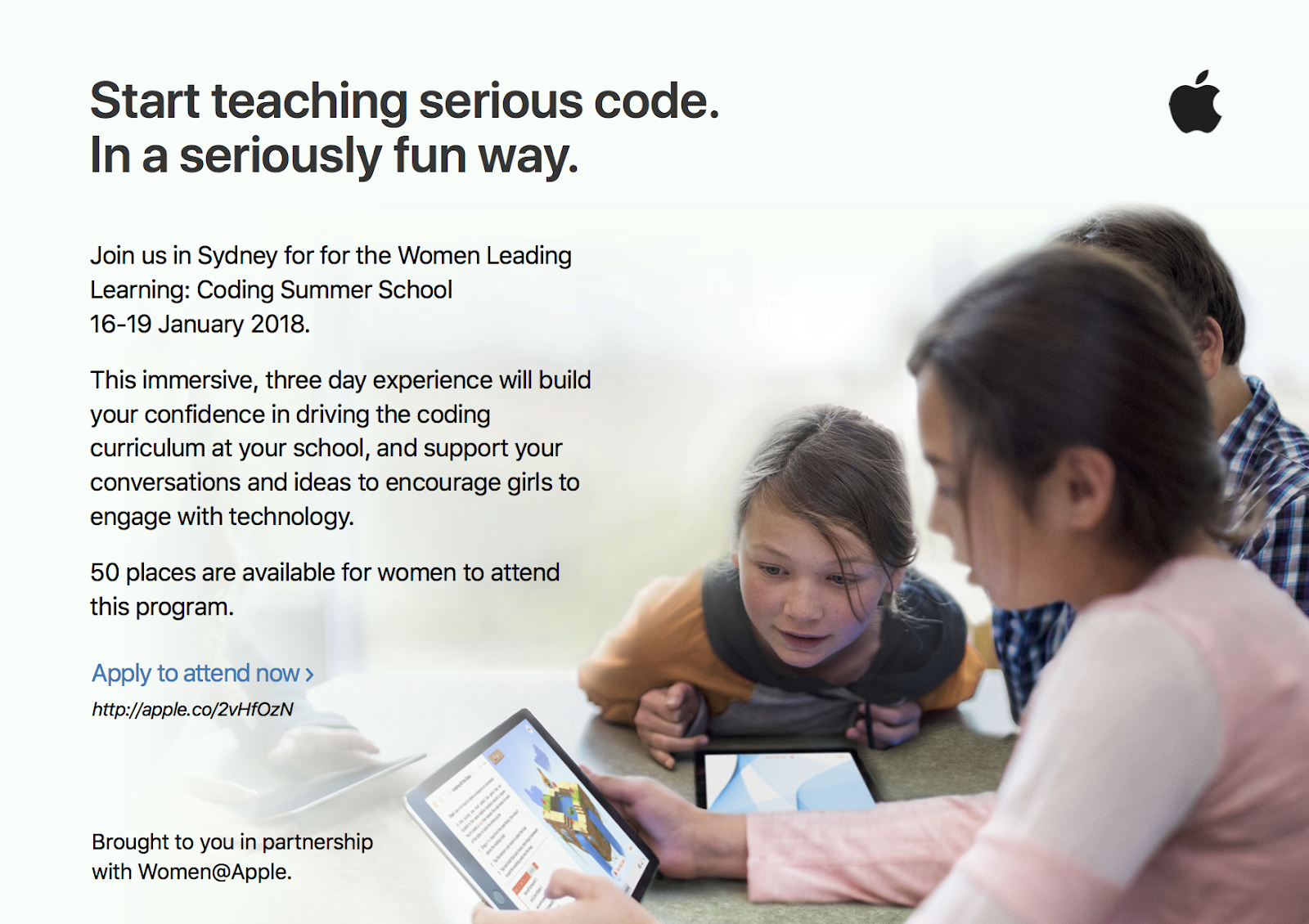
I was given the amazing opportunity to attend the Apple Women Leading Learning:
Coding Summer School in Sydney during the School holidays. I applied sometime during
March of 2017. I received confirmation that I had been accepted at the end of Term 3 of
2017. This was an exciting opportunity to find out more about coding with Swift Playgrounds.
Coding Summer School in Sydney during the School holidays. I applied sometime during
March of 2017. I received confirmation that I had been accepted at the end of Term 3 of
2017. This was an exciting opportunity to find out more about coding with Swift Playgrounds.
I arrived in Sydney on Tuesday 16th January 2018. I met with my roommate Sylvie from
Ormiston Junior College in Auckland. Apparently there were only 4 women from NZ
attending and the rest were teachers from across Australia. That evening the entire group
met for the first time at the Apple Headquarters in Sydney. We also got the chance to
meet with the amazing women involved in organising this event. A few key people from
Apple delivered a presentation about Apple products and talked about how students are
being taught how to code and create apps. Later in the evening we all got the chance to
mix and mingle and meet all the other teachers who were invited to be part of this program.
Ormiston Junior College in Auckland. Apparently there were only 4 women from NZ
attending and the rest were teachers from across Australia. That evening the entire group
met for the first time at the Apple Headquarters in Sydney. We also got the chance to
meet with the amazing women involved in organising this event. A few key people from
Apple delivered a presentation about Apple products and talked about how students are
being taught how to code and create apps. Later in the evening we all got the chance to
mix and mingle and meet all the other teachers who were invited to be part of this program.
Friday, 8 December 2017
Final Inquiry Presentation 2017
This is my final inquiry presentation for 2017. I used this presentation which was created on Keynote to present my inquiry findings at ULearn 2017 in Hamilton. The last few slides summarises my findings in Term 4. I am grateful to have been a member of the SPARK MIT group in 2017.
Tuesday, 11 April 2017
Deep Dialogic Discussions - First Paideia Seminar 2017
Today we held the first ever Paideia seminar for our Year 5 & 6 Extension students. The Paideia method is based on the idea of having deep dialogic discussions and is sort of a Socrates based philosophy around discussion to share ideas. The students had plenty of support during the lead up to this seminar. Earlier this term they began to learn how to disagree agreeably, listen to what others had to say and think about how to share their ideas based around an issue. The main topic was based around our school wide theme for the term - ‘Kaitiakitanga i nga wa katoa’ and about caring for our environment.

During the term the students practiced arguing their point of view about an issue. We were lucky to have the guidance and support of Anne Sinclair who helped throughout the term. Later they were put into groups to talk about the issue of pollution. 
The five main groups were: Conservationists, Caretakers, Birds/Eels, Children, and the Maori Tribe. Each group had to research from the perspective of these groups and find relevant information to support their ideas.
Once each group collected their research they began to create DLO’s to share their information. One group decided to create a play and filmed down at the local creek. Others decided to create mini documentaries. These movies will be shared on their blogs and on PENN.
Today’s panel discussion was the culmination of the students research and work around the issue of pollution. The room was setup to create the atmosphere of a conference. Students in each group received lollies as a form of token. Each student could eat a lolly once they had shared their thoughts. Everyone was encouraged to speak, share and respond.


I noticed that the students were quite shy to begin with. Further into the seminar the students began to gain confidence and were more willing to participate and speak up. One student in particular needed to be reminded to let others speak as this person tended to dominate the conversations.

Overall I think that the seminar was very successful. I am proud of what the students have achieved. It reinforced the knowledge that we have some very bright students in this group. However a couple of students still need to learn how to listen and give others a chance to share. A few students also need to be more prepared, or have more courage to share their ideas. 
Our reflection will look at:
- How are we going?
- What worked well?
- Where are we going?
- What could we improve?
- Where to next?
For a first time in Stage 1 of the Paideia Seminar the students did so well. We can ask them these questions as well and also what they would like to see and what ‘rules’ we could use, eg:
- Only one person talks at a time
- Respect the speaker
- Give others a chance to speak
- Look at the person you are talking to or asking a question of
- Say their name when you ask them a question or challenge an idea
- Be supportive of others and help them to participate
- Be prepared
- Expand on the discussion ideas next time using the prompts
- Extend the discussion
Paideia Seminar Term 1 from SchoolTV on Vimeo.
Monday, 20 February 2017
SPARK MIT 2017
I have the privilege of being a member of the SPARK MIT group in 2017. My initial proposed inquiry was: How to improve problem solving and critical thinking skills through use of coding and robotics?’
Today we met for the first time as a group at SPARK Headquarters in Auckland City. We also met with Lynne Le Gros (SPARK Foundation) and her team. Our first task was to identify and share what our problem was regarding our inquiries. Then we brainstormed lots of different hypotheses for why the problem was occurring and shared these with the group.


After quite a bit of thinking and discussion around our inquiries I have decided to alter my inquiry proposal to: ‘How to improve critical thinking skills through the use of code and deep dialogic discussions?’
After looking at some of the recent PAT and STAR data from the Year 7 & 8 Extension group, I have found that the majority of our extension students are not achieving above the national norm in literacy. Most are achieving at the national standard (between stanines 4 - 6), but these are our brightest students in their cohort who should be striving to achieve well above the national mean.
The following is a list of hypotheses:
- The majority of our extension students are not achieving above the norm in literacy (PATs and STAR) because they need to develop critical thinking skills
- Students need to be encouraged/pushed to grapple with harder concepts to extend their thinking
- Need to be exposed to a range of texts - multi-modal/wider and deeper
- Need to learn to question/argue/challenge/build on thinking and expressing of ideas
- Need to close the gap in knowledge and experience between students who know how to code and those who don’t
- Must make sure that learning is visible, and that students have access to resources and exemplars
- Students need to be taught how to use thinking tools more effectively e.g. SOLO
- Students need to know what next level looks like - expectations
- Students need more support from home to extend learning at home
- Students need to have access to their own data - to reflect, set next learning goals
- More student ownership/empowerment of learning is needed
- We need to find ways to raise the ceiling in student achievement at school

I am looking forward to another year with the SPARK MIT group.
Wednesday, 15 February 2017
Year 7 & 8 Coding Survey
Since the focus this year will be about learning how to use code to improve the students critical thinking skills, they were giving a survey to complete which was about coding. Although there are 18 students in the group, there were only 14 responses as some students were away. Here were some of the results from the survey.


- For the question: What is coding? - Most of the students responded by ticking the box that said coding is about writing a set of instructions for a computer to follow.
- 100% of the students agreed that students should be taught how to code.
- Most had used coding programmes such as code.org, code combat and Scratch before. Not many had used Khan Academy or other sites.
- I'm not sure if the students understand what the types of coding languages there are e.g. html, Javascript, Python etc.
- Most were unsure if they had the skills to teach others how to code.
- Most have used a coding programme for 2 years or less.
- Most agreed that code.org was a good coding programme to use for students because it is a good site for beginners.
- Most agreed that learning how to code would help to improve their thinking skills.


Friday, 7 October 2016
ULearn 2016 Day 2
Prof Michael Fullan - Keynote Speaker
New Pedagogies for Deep Learning

System transformation
They build knowledge and practices that foster deep learning and whole system change
Humans are innately wired to connect, create and help humanity
Children are highly creative, but school cuts some of this creativity.
Millennials tend to gravitate towards organisations who do good things
New learning partnership between students, teachers and parents
6Cs - creativity, critical thinking, communication, collaborating, character, citizenship
Deep learning and equity - students that were underserved benefitted the most
Whole system change strategies:
- Accountability
- Standards
- System culture
Breakthrough leadership:
- Respect and reject the status quo
- Be an expert and an apprentice
The 7th sense
- Social media is ubiquitous
- Weakens hierarchies
- Distribution and concentrated connection is the new power
- The young are the most connected and the least committed to the status quo
- Humans, especially the young, find ‘helping humanity’ to be an extrinsic value
The job of education is to produce better citizens for tomorrow, today
Pedagogy is the driver, technology is the accelerator
Big Idea:
Students as change agents
Professional capital of teachers
Coherence
Deep learning unleashes bottom up learning
Hon Hekia Parata
Minister of Education

It can only be the profession that leads the profession. Not interested in targets and asserts that she is interested in kids learning and having choices for the future. Wants every child to get the best education possible. How will funding closely align with what the size of the educational challenge is? Strong sense of urgency that our students are successful, confident, connected global citizens.
NZ has an amazing educational system but we don't make use of full functionality that it provides. PLD - a lot of money has been spent, but not enough evidence of success. What are professionals (teachers etc) in our community of learning going to do? Building better learning environments? Build better pathways for students?
Learning how to Code - Apple workshop

Everyone should have the opportunity to create something that can change the world.
Swift Icon. My Playground - Learn to Code 1. We had the opportunity to play with this simple coding programme.
Video showing ordinary people solving real problems with code. Understanding coding concepts is a new literacy. Creativity is important and code allows development of this as well as skills like problem solving, critical thinking, collaboration.
Swift enables the ability for people to practice code. Developed by Apple and the community. It's easy to use, interactive, powerful, and open - source. Playgrounds allow code to be written and tested as its being written.
Swift Playgrounds and App Development with Swift. It introduces young learners to coding principles. Used on ipads, coding lessons built in, real coding in Swift, built for touch. Glossary of terms available. Ability to take photo/recording of code to record/capture evidence of learning. Special keyboard feature available to use.
Branch Out lesson - for loop in coding (In computer science a for-loop (or simply for loop) is a control flow statement for specifying iteration, which allows code to be executed repeatedly.) Can zoom in and out of worlds. A skill is to be able to write code effectively that can be used over and over again.
ibook app - resources can be downloaded - content for teachers, how to teach coding.
Learning to Code 1 & 2 - suitable for ages 10 -15
App Development for Swift - suitable for secondary students
OMGTech! Rangers Workshop — an introduction to robotics, coding, and 3D printing

3 different areas in the room were organised to cater for hands on practice on robotics, coding and 3D printing. Really cool! We were able to rotate around 4 different stations for 20mins each.
Robotics: We had to create code which would direct a small robotic car/tank? to navigate its way around a track on the floor.
Coding: We had the chance to create a very simple game using a programme called Scratch.
3D Printing: Basically we were given a presentation about 3D printing and how the design process was more important at this stage then using the actual 3D printer as its time consuming to print and printers tend to have technical issues.
There was also another activity set up where we could take apart an old CD player to look at all the different parts inside it. Interesting to find out that the physical structure of modern hard drives are similar to old record players e.g. disc with something that is able to read the information off the disc. Difference is that modern discs hold much more info.
Subscribe to:
Posts (Atom)